msdfgen
A CLI for generating multi-channel signed distance field (MSDF) textures from vector shapes.
What is msdfgen?
msdfgen turns a vector shape (an SVG path, a glyph, a font) into a multi-channel signed distance field texture. A regular bitmap stores color per pixel, so it blurs the moment you scale it up. An SDF instead stores, per pixel, the distance to the nearest edge of the shape, which a shader can resolve back into a razor-sharp outline at any size. The "multi-channel" part packs three distance fields into the RGB channels so that sharp corners survive instead of getting rounded off, which is the weak spot of single-channel SDFs.
The payoff: one small texture renders crisp text, logos, or icons at any zoom level, with cheap shader effects like outlines, glows, and animated fills essentially for free.
Generating an atlas for a whole font rather than a single shape? Skip the CLI and use msdf-font-generator.leomouraire.com, a web tool that bakes the MSDF atlas and emits the JSON manifest (glyph metrics + UVs) in the browser. The rest of this page covers the CLI flow we use for the custom text + logo texture.
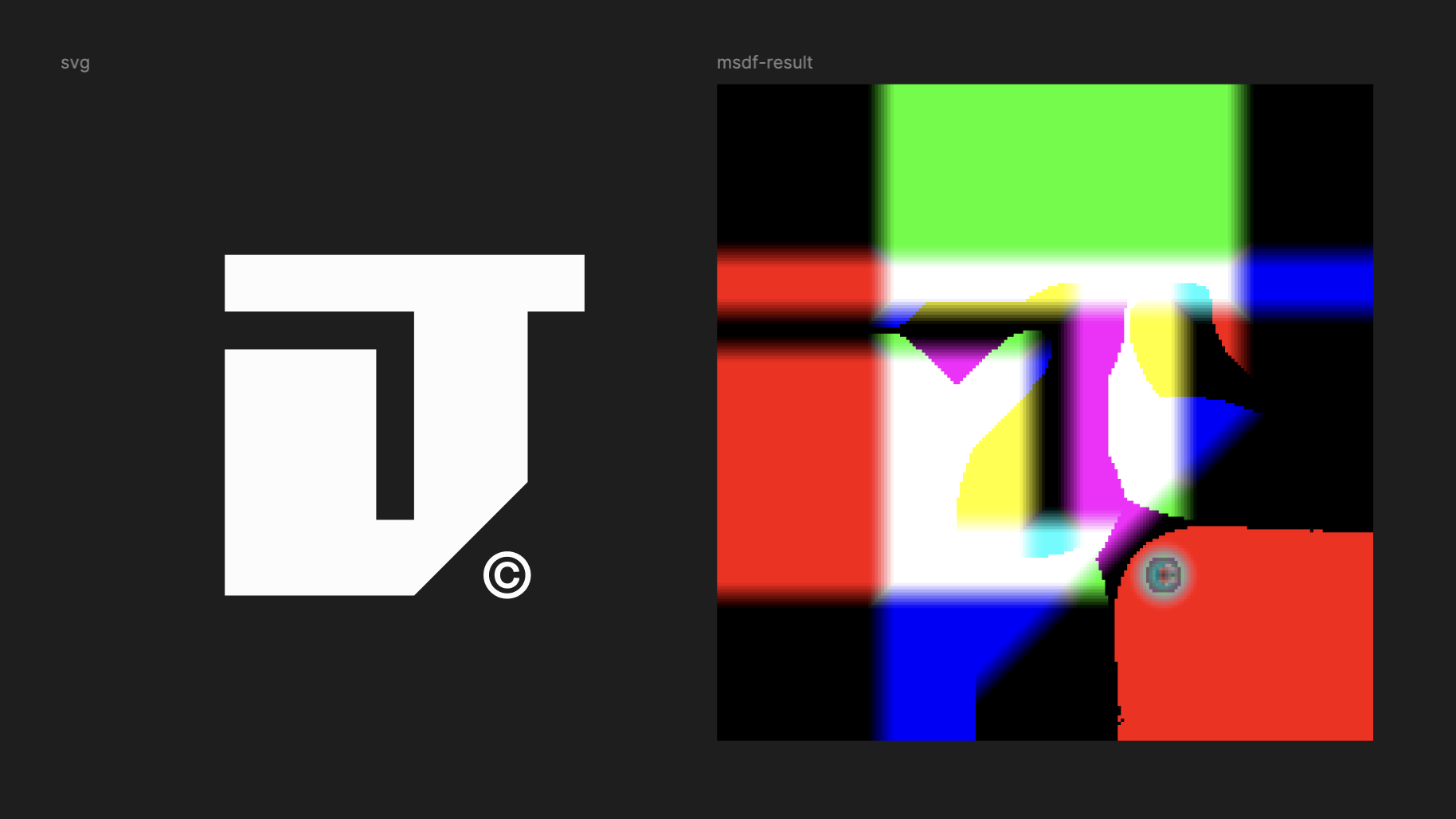
We use it to bake the text + logo atlas that the Three.js scene samples in its fragment shader. See the snippet at the bottom for how the GPU reconstructs the edge.
Installation
There's no Homebrew formula. The two supported paths are the Vcpkg package or a from-source CMake build.
vcpkg install msdfgengit clone https://github.com/Chlumsky/msdfgen
cd msdfgen
cmake -B build -DCMAKE_TOOLCHAIN_FILE=<vcpkg>/scripts/buildsystems/vcpkg.cmake
cmake --build buildThe from-source build pulls its dependencies (FreeType, and optionally the SVG/PNG libraries)
through Vcpkg, so point -DCMAKE_TOOLCHAIN_FILE at your Vcpkg checkout. Once built you'll have the
msdfgen binary; verify with msdfgen --help.
The merge step (gotcha)
msdfgen only reads the last <path> element from an SVG. Design tools (Figma, Illustrator)
export each glyph or shape as its own <path>, so before generating you have to concatenate all
the d attributes into a single <path>, separated by spaces.
<!-- Before: N paths (typical Figma/Illustrator export) -->
<path d="M30.59..." fill="white"/>
<path d="M50.11..." fill="white"/>
<path d="M25.51..." fill="white"/>

<!-- After: 1 path (required for msdfgen) -->
<path d="M30.59... M50.11... M25.51..." fill="white"/>
A small script does it for you:
python3 -c "
import re
with open('MSDF.svg') as f: svg = f.read()
paths = re.findall(r'd=\"([^\"]+)\"', svg)
merged = ' '.join(paths)
out = f'<svg width=\"512\" height=\"512\" viewBox=\"0 0 512 512\" fill=\"none\" xmlns=\"http://www.w3.org/2000/svg\">\n<path d=\"{merged}\" fill=\"white\"/>\n</svg>'
with open('MSDF-merged.svg', 'w') as f: f.write(out)
print(f'Merged {len(paths)} paths')
"
Always merge before exporting. If you re-export the SVG from a design tool, the paths split again and you have to merge a second time.
Recommended generation flow
cd public/textures
msdfgen msdf -svg MSDF-merged.svg -o msdf.png -dimensions 512 512 -pxrange 8 -scale 1 -translate 0 0
rm MSDF-merged.svg| Flag | Value | Why |
|---|---|---|
msdf | mode | Multi-channel SDF. Preserves sharp corners via RGB channel separation |
-dimensions | 512 512 | Matches the SVG viewBox and existing texture size |
-pxrange | 8 | Pixel range of the distance gradient. Higher means more room for shader effects (outline, glow). 8 works well for the glyph density in this texture |
-scale | 1 | 1:1 mapping, so 1 SVG unit = 1 pixel. Do not use -autoframe: it rescales and adds padding, shifting UVs and breaking the shader's crop rects |
-translate | 0 0 | No offset. msdfgen handles the SVG y-down to image y-down conversion correctly when reading from an SVG |
How a fragment shader renders msdf
vec3 s = texture2D(uMSDF, vUv).rgb;
float dist = median(s.r, s.g, s.b);
float fill = smoothstep(0.5 - fwidth(dist), 0.5 + fwidth(dist), dist);
The median of the three channels recovers the true signed distance, and smoothstep at the
0.5 threshold produces a pixel-perfect edge at any scale.